


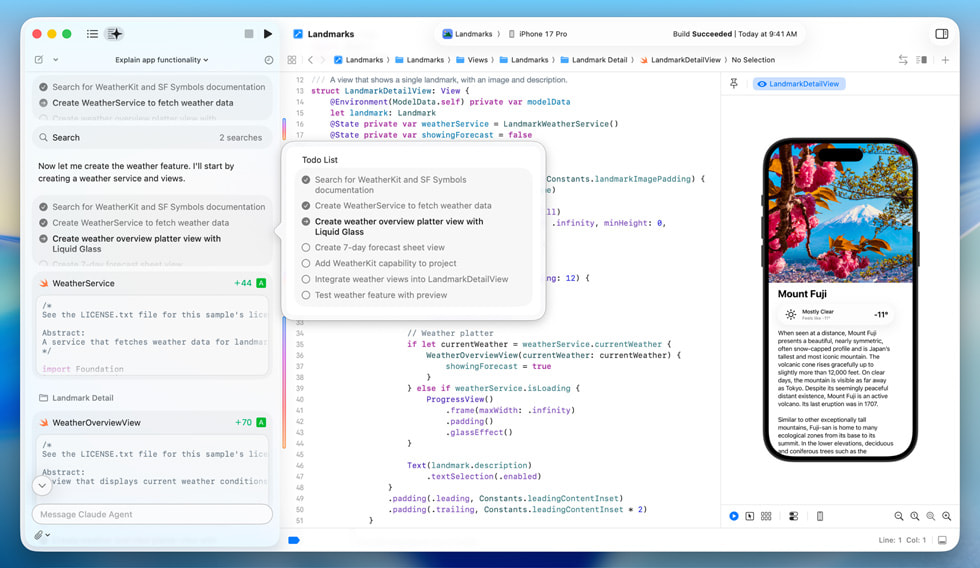
How Schools Manage Macs with Apple School Manager & MDM

Teacher and students learning on device with MDM at school

Modern schools rely on Apple devices to enhance learning experiences. But how do they keep MacBooks and iPads organized, secure, and ready for students? The answer lies in Apple School Manager and Mobile Device Management (MDM). These tools simplify deployment, management, and security for educational institutions.

Apple School Manager (ASM) login page

What is Apple School Manager?

Apple School Manager is a web-based platform designed to streamline device setup and management in schools. It enables IT administrators to:

  • Create Managed Apple IDs: Provide accounts for students and teachers.

  • Integrate with MDM Solutions: Automate device enrollment and configurations.

  • Deploy Apps and Content: Distribute educational apps and books easily.

  • Sync with Student Information Systems (SIS): Maintain up-to-date class rosters and user information.

Apple School Manager acts as a central hub, ensuring seamless management across all Apple devices.

Student learning in school using MDM device

Why MDM is Essential for Schools

Mobile Device Management (MDM) complements Apple School Manager by offering advanced controls for device security and usage. With MDM, schools can:

  1. Automate Device Setup: Pre-configure settings, Wi-Fi, and policies without manual intervention.

  2. Enforce Security Protocols: Apply password policies and encryption to protect data.

  3. Restrict App Access: Block non-educational apps and ensure focus during classes.

  4. Remote Troubleshooting: Resolve issues quickly without collecting devices.

  5. Track Device Usage: Monitor compliance and identify areas for improvement.

Combining MDM with Apple School Manager allows schools to create a flexible, secure learning environment.

Apple School Manager dashboard

Setting Up Mac Management for Schools

To set up MDM on Macs for schools, you need a step-by-step process that ensures devices are prepared for teaching and learning environments. Here’s how it can get started: 


  1. Enroll Devices with Apple School Manager: Automatically register MacBooks and iPads to simplify deployment. For example, a school deploying 500 iPads can pre-load educational apps and Wi-Fi configurations without unboxing each device.

  2. Connect MDM Software: Sync the MDM platform with Apple School Manager for centralized control. IT admins can remotely set restrictions, enforce security settings, and even track device locations in case of loss.

  3. Assign Managed Apple IDs: Provide secure access for students and teachers. Schools can create class-specific Apple IDs to ensure each group has access to relevant materials and shared resources.

  4. Deploy Apps and Books: Push tools and educational content directly to devices. For instance, an art class can instantly download creative tools like Procreate, while science classes receive simulation apps.

  5. Monitor and Maintain Devices: Use MDM dashboards to track performance and compliance. Schools can schedule updates outside class hours, minimizing disruptions and ensuring devices stay current and secure.
School educator preparing material using mdm installed device

Benefits for IT Administrators and Educators

  • Simplified Deployment: Deploy hundreds of Macs quickly, even for remote learning.

  • Consistent Experience: Ensure every student has access to the same tools and resources.

  • Improved Security: Protect sensitive data and prevent unauthorized access.

  • Cost Efficiency: Reduce time spent on manual configurations and troubleshooting.

woman using her favorite MacBook

Conclusion

Managing Macs in schools doesn’t have to be complicated. With Apple School Manager and MDM working together, IT teams can streamline workflows while creating engaging learning experiences. These tools enable administrators to save time, reduce manual work, and ensure devices are always ready for use.

Whether it’s deploying new devices or maintaining security protocols, schools can deliver seamless learning experiences with minimal effort.

Follow us

Stay updated with the latest solutions for schools. Follow us on Facebook and LinkedIn.


Recent Post

Published: February 5,2026 Xcode 26.3 Introduces Agentic Coding with Claude & OpenAI Codex Introduction Apple has taken a major step forward in …

Published: January 30,2026 MDM for iOS: How the Japanese School of Johor Simplified iPad Management Introduction: Managing iPads Shouldn’t Be This Hard …
Published: January 21,2026 Apple Creator Studio: All-in-One Creative Apps Subscription Apple Introduce Apple Creator Studio: One Subscription, Endless Creative Possibilities Apple has …

Published: December 13,2025 Complete Human Network: Malaysia’s First Apple Premium Business Partner Introduction: What is an Apple Premium Business Partner (APBP)? An …

Leave a Comment

Your email address will not be published. Required fields are marked *