

- Published: Jul 17,2025
Microsoft June 2025 Updates: Teams, Copilot, Security & More
June brought more than just heat — Microsoft has rolled out a wave of powerful updates across Teams, Security, Copilot, and more. Whether you’re looking to streamline communication, improve security, or enhance productivity, here’s your no-fluff roundup of what changed this month (and what you need to do about it).
Microsoft Teams Updates
Goodbye Classic Teams – It’s Time to Switch
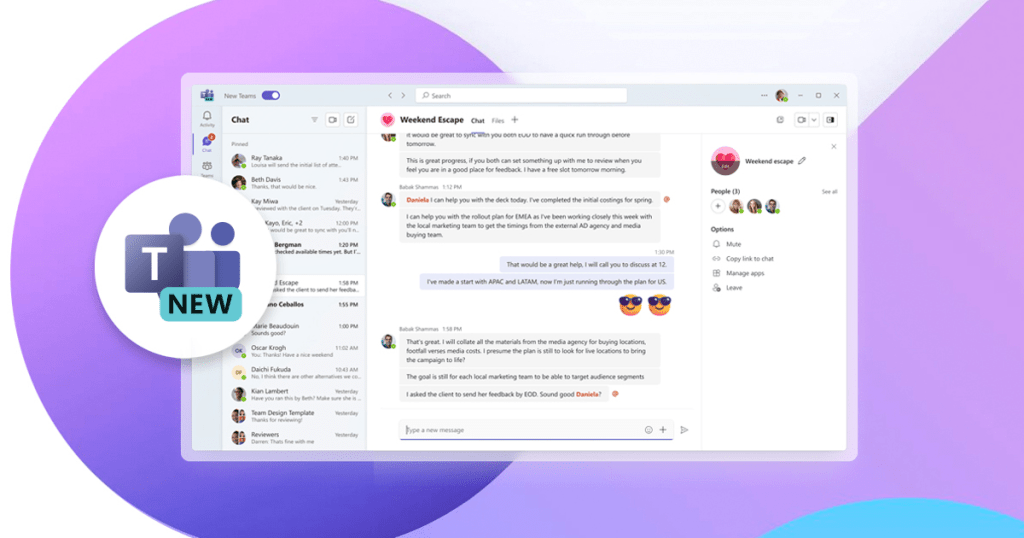
Starting July 1, the Classic Teams desktop app will officially be retired. Users on all operating systems must now move to the new Microsoft Teams experience. This new version is faster, lighter, and built for seamless collaboration.
File Sharing with External Users
You can now share files in 1:1 and group chats with external contacts. While this option is off by default, IT admins can enable it via the FileSharingInChatsWithExternalUsers policy. This update boosts external collaboration without compromising on control.
Licensing Changes
End of Microsoft 365 Nonprofit Grants (Business Premium & E1)
From July 1, Microsoft will phase out Business Premium and Office 365 E1 grants for nonprofits. Eligible organisations should plan to transition to Microsoft 365 Business Basic or other supported nonprofit options. This change is part of Microsoft’s effort to streamline its nonprofit licensing model.
Security & Compliance Enhancements
Third-Party Apps Now Need Admin Approval
To strengthen data protection under the Secure Future Initiative, Microsoft will now block legacy authentication and require admin approval for all third-party apps by default. This helps reduce risks from unauthorized or potentially unsafe apps.
Changes to SharePoint External Access
External users will lose access to content shared via One-Time Passcode (OTP) if it was shared before your SharePoint/OneDrive environment was integrated with Entra B2B. To restore access, you’ll need to reshare the files using the updated secure method.
Microsoft 365 Secure by Default: Key Setting Changes
Rolling out soon: Microsoft 365 will update default settings to further secure your data. This includes:
Blocking outdated browser-based authentication
Mandatory admin approval for apps connecting to company data
These changes give IT admins better control while protecting organisations from legacy vulnerabilities.
Microsoft Copilot – June Productivity Power-Ups
New: Realtime Voice (iOS)
Now live for iOS users — Copilot supports voice input in real-time, making it even easier to get things done on the go. From dictating tasks to navigating workflows, you can now speak naturally to interact with Copilot hands-free.
Copilot Search, Right from Edge
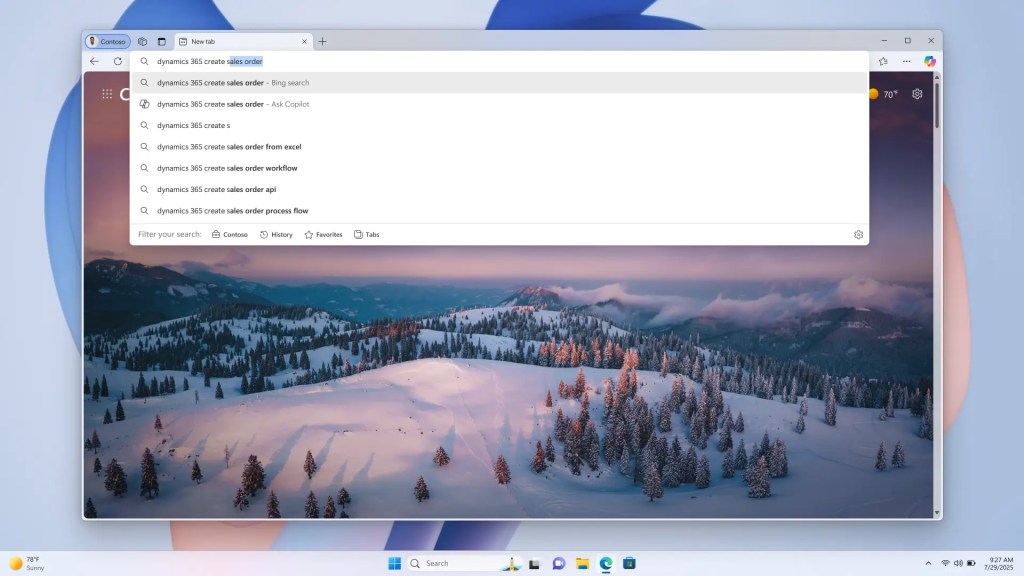
Skip the traditional Bing/Google route — now you can launch a Copilot-powered search directly from Microsoft Edge. It’s a faster, smarter way to get tailored results based on your needs.

Meet Your Agents in Edge Sidebar
Need help on a task? Use the “Copilot Chats and More” button in Edge to open your Microsoft 365 agents. Whether you’re researching a topic or preparing a report, these built-in assistants are ready to support you in context.
Right-Click Summarise with Copilot
A game-changer for researchers and busy professionals: Right-click any webpage in Edge and choose “Summarise with Copilot”. You’ll instantly get a concise breakdown of the key points — perfect for turning long reads into quick insights.
Stay Ahead with Microsoft – We’ll Help You Get There
Microsoft’s June 2025 updates are packed with tools that can transform how your business collaborates, stays secure, and works smarter. From new Teams experiences to AI-driven productivity with Copilot, now is the time to adapt and thrive.
At Complete Human Network, we help businesses like yours make the most of every Microsoft update. Whether it’s configuring new features, improving security policies or training your team — we’re here to guide you through every step.
Related Post
Want to Explore These Updates for Your Business?
If any of these features caught your attention and you’d like to know how they fit into your environment, we’re here to help.