

- Published: June 26,2025
From Outlook to Excel: How Microsoft Copilot Is Changing Work as We Know It
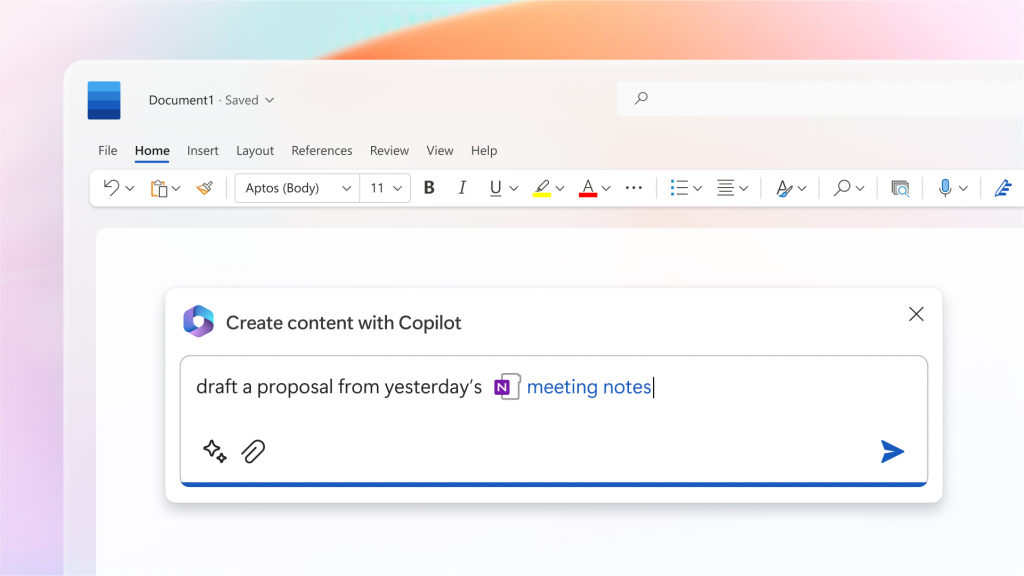
If you’ve ever stared at an overflowing inbox or juggled spreadsheet chaos, you’re not alone. For years, we’ve relied on Microsoft’s suite to manage day-to-day business tasks — but in 2025, it’s not just about using tools like Outlook or Excel. It’s about working with them. Thanks to Microsoft Copilot, AI has officially entered the modern workplace — and it’s not just assisting. It’s transforming.
For CIOs, IT leaders, and modern enterprises, the question is no longer “should we use AI?” — it’s “how fast can we integrate it, and are we ready for what comes next?”
1. The AI Assistant That Actually Understands Work
Microsoft Copilot is not just a chatbot bolted onto Word or Excel. It’s an intelligent engine that understands context, history, and your business data — and that’s what makes it revolutionary.
In Outlook, Copilot can draft emails based on previous conversations, summarize long threads, and even suggest meeting responses. In Excel, it goes beyond formulas — spotting trends, predicting outcomes, and auto-generating visuals, saving analysts hours of work. And in Teams, Copilot quietly listens during meetings (with permission), creates minutes, highlights action items, and suggests follow-ups.
What we’re witnessing is the shift from passive software to proactive software — a true assistant that works alongside your people.
2. Productivity Gains Are Just the Beginning
The headline benefit of Copilot is obvious: massive time savings. Employees can now offload routine or tedious tasks — not to eliminate their roles, but to amplify their impact.
But there’s more to this than just productivity. When your staff has less “busy work,” they have more space for strategy, creativity, and problem-solving. Junior staff can level up faster. Senior staff can focus on big-picture goals.
A recent pilot study from Microsoft showed that users of Copilot were 29% faster on common tasks and 88% more accurate when summarizing content. That’s not just speed — that’s smarter work.
For CIOs and tech leaders, this means real ROI: less overtime, faster project turnaround, and more engaged teams.

3. Built-In, Not Bolted-On: Why Microsoft Is Winning the AI Race
Unlike third-party AI tools, Copilot is built directly into Microsoft 365. That integration is key.
Since it already understands your documents, calendars, chats, and spreadsheets — and respects your existing permissions and data governance — it’s easier to deploy and safer to scale. There’s no need to train a new system from scratch or expose sensitive data to external tools.
And because Copilot works across platforms, users don’t have to jump between tools. It shows up where they already work. That simplicity drives adoption — something every IT leader knows is critical for any digital transformation effort.
4. But With Great Power Comes Great Responsibility
Of course, Copilot isn’t perfect — and it doesn’t come without risk.
AI-generated content may sometimes sound plausible but be inaccurate. There’s a risk of over-reliance, or worse, blind trust. For example, if Copilot misinterprets financial data in Excel or misses tone in an email draft, it could lead to real-world consequences.
That’s why Microsoft includes features like content attribution, user approval before sending, and admin-level policies for transparency and control. But the human layer — your people — must remain in the loop.
CIOs must balance innovation with oversight. Training is just as important as deployment. You’re not just giving employees a new tool; you’re changing how they work.
5. Is Your Enterprise Copilot-Ready?
Before jumping in, ask: is your digital workplace ready to embrace AI?
- Is your data clean and well-organized? Copilot is only as smart as the data it draws from.
- Are your devices secure and up to date? Unified Endpoint Management (UEM) and MDM tools play a big role in making Copilot deployments secure.
- Have you trained your people? AI readiness isn’t just technical. It’s cultural.
- Are your compliance teams looped in? Data privacy, bias management, and regulatory compliance are non-negotiable.
If you’re already on Microsoft 365, the good news is you’re halfway there. With the right governance and rollout plan, Copilot can be a game-changer — not just for individual productivity, but for enterprise agility.

Final Thoughts
From writing emails to analyzing spreadsheets, Microsoft Copilot is not replacing humans — it’s amplifying them. It’s the extra brainpower every employee didn’t know they needed.
For CIOs and business leaders, the opportunity is clear: harness AI not as a shiny toy, but as a strategic lever to build smarter, faster, more adaptive teams. The future of work isn’t just happening — it’s happening inside your existing tools.
And it’s called Copilot.
Boost Your Workflow with Copilot Today
Discover how Microsoft Copilot helps you work smarter in Outlook, Excel, and more. Embrace the future of productivity now.